How to turn your script into a video, word for word
Write it for the ear, split it into scenes, quote the words for the screen, then have it narrated and drawn word for word. Each step, with the research.
By the Chasca team 6 min read
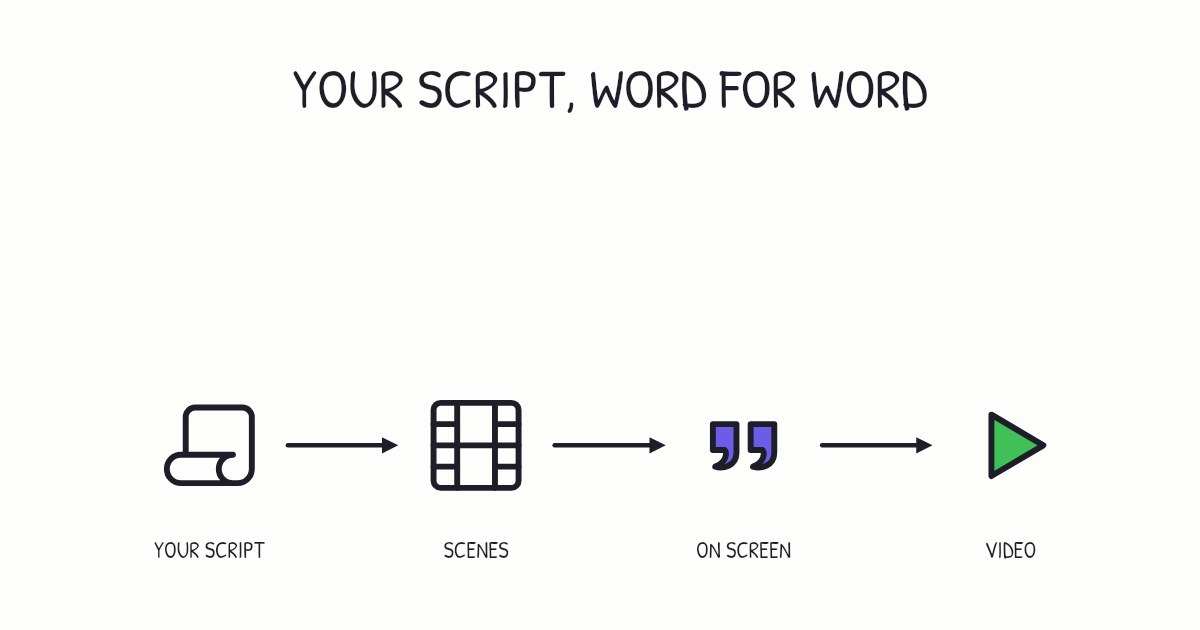
To turn a script into a video without changing a word, write it for the ear, split it into scenes of one idea each, put the exact words you want on screen in quotes, and have each scene narrated and drawn as it is spoken. At about 150 words a minute, a one-minute video is a script of about 150 words. In Chasca, you paste the script on the Create page: the narrator speaks it word for word, your scenes keep their order, and your quoted title, on-screen lines and closing call are drawn on the board exactly as you wrote them.
Why keep your script word for word?
Because the words are often the part you can’t change. A teacher has phrased an explanation the way the class already knows it. A company has approved wording for a policy or a product. A creator has a hook and a sign-off their audience expects. A news script carries this week’s figures. When a tool rewrites the script to “improve” it, facts drift, names change and numbers slip back to older ones, and every rewrite means checking the whole video again.
Keeping your words also keeps your voice. A conversational rather than formal style is one of Richard Mayer’s evidence-based principles for multimedia instruction, the personalization principle, and a script you wrote for your own audience is usually already in that style.
How do you write a script for the ear?
Write the way you would say it: short sentences, one idea in each, everyday words, and “you”. Our guide to writing an explainer video script covers the structure. When every word will be kept, three checks matter most:
- Read it aloud. Anything you stumble over, a listener will stumble over too. Break long sentences in two.
- Write it the way it should be heard. Spell out an abbreviation or a number if that is how you want it said.
- Name each drawing as it should appear. A picture lands best on the word that names it, so the script decides when each drawing arrives.
How long will the video be?
Count the words. Most narrators speak at roughly 140 to 160 words a minute:
| Script | Video |
|---|---|
| About 75 words | About 30 seconds |
| About 150 words | About 1 minute |
| About 450 words | About 3 minutes |
| About 900 words | About 6 minutes |
Keep each video short where you can. In an analysis of 6.9 million viewing sessions on edX, Philip Guo, Juho Kim and Rob Rubin found that shorter videos were much more engaging, with engagement dropping sharply past about six minutes. A longer script works better as a short series.
How do you split a script into scenes?
Give each idea its own scene, and mark it: Scene 1, Scene 2, and so on. A scene is one picture’s worth of narration, usually one to three sentences.
Splitting helps understanding, not only attention. A meta-analysis of 56 studies by Günter Daniel Rey and colleagues found that lessons split into meaningful segments led to better recall and better use of what was learned than the same lesson as one continuous stream.
If you paste a script without scenes, Chasca splits it between sentences and keeps every word.
What should go on screen?
Short lines, not the narration. By Richard Mayer’s redundancy principle, people learn better from pictures and narration than from pictures, narration and the same words printed on screen. Let the voice carry the sentences and the board carry:
- A title card for the first scene.
- One short line in a scene, at most: the phrase you want remembered.
- A closing call: your handle, your website, or “Follow for more”.
- Captions for every word, for people watching with the sound off. In psychologist Morton Ann Gernsbacher’s review, captions improved comprehension of, attention to and memory for video.
Put the words for the screen in quotes and say where they go. A script ready to paste looks like this:
Title card: “3 habits for calmer mornings”
Scene 1: Most mornings start in a rush. Three small habits change that.
Scene 2: Lay out tomorrow’s things tonight. On screen: “Decide once, the night before”
Scene 3: Leave your phone in another room until breakfast.
End: “Follow @yourname for more”
Vertical for Reels, with soft background music.
The last line is a note, not narration: it sets the format and the music and is never read aloud.
What can a whiteboard video show?
Whatever can be drawn as it is said. People learn more when a picture appears at the same moment as its words: in Mayer and Fiorella’s review of the research, the temporal contiguity principle held in 9 out of 9 tests.
On a whiteboard, that means drawings, words and diagrams: labeled sketches, graphs and equations, and tables, geometry, trees, flowcharts and code. You can add a hand that draws for the classic look.
It can’t show 3D or realistic footage, characters who act out a scene, speak or move, or sound effects. If your script asks for those, Chasca tells you before it makes anything, and nothing is charged.
How do you turn a script into a video with Chasca?
- Paste the script on the Create page, scenes marked if you have them.
- Quote the words for the screen and say where they go: a title card, a line on a scene, a closing call.
- Add a note for the format and music if you like, such as “vertical for Reels” or “with soft background music”.
- Pick a voice: one of 30 narrators, a custom voice made from about a minute of your reading, or your own recording of the script.
- Watch it draw. Every word is spoken as written while the board draws, scene by scene, and names, dates and numbers stay as you gave them.
Your first 2 videos are free, up to a minute each. If your script is longer, the free video makes its first part exactly as you wrote it and shows what’s still to come; a paid plan makes the whole script in one go, up to 30 minutes. The script page has the details.
A checklist before you paste
- Read aloud once, and fix anything you stumble over.
- About 150 words a minute, and under six minutes, or split into parts.
- One idea per scene, with the scenes marked.
- Words for the screen short, in quotes, with where they go.
- Facts and numbers checked: they will be spoken as written.
- Format and music in a note at the end.
Sources
- Mayer, R. E. (2008). Applying the science of learning: Evidence-based principles for the design of multimedia instruction. American Psychologist, 63(8), 760–769.
- Mayer, R. E., & Fiorella, L. (2014). Principles for reducing extraneous processing in multimedia learning: Coherence, signaling, redundancy, spatial contiguity, and temporal contiguity principles. In The Cambridge Handbook of Multimedia Learning (2nd ed.). Cambridge University Press.
- Rey, G. D., Beege, M., Nebel, S., Wirzberger, M., Schmitt, T. H., & Schneider, S. (2019). A meta-analysis of the segmenting effect. Educational Psychology Review, 31, 389–419.
- Guo, P. J., Kim, J., & Rubin, R. (2014). How video production affects student engagement: An empirical study of MOOC videos. Proceedings of the ACM Conference on Learning at Scale.
- Gernsbacher, M. A. (2015). Video captions benefit everyone. Policy Insights from the Behavioral and Brain Sciences, 2(1), 195–202.
Questions people ask
Yes. Write the narration for the ear, mark one scene per idea and put the words you want on screen in quotes. In Chasca, you paste the script on the Create page and the narrator speaks it word for word, your scenes keep their order, and your quoted title, on-screen lines and closing call are drawn on the board exactly as written.
About 150. Most narrators speak at roughly 140 to 160 words a minute, so 75 words make about 30 seconds and 450 words about three minutes. For anything longer than six minutes, split the script into parts.
No. By Richard Mayer's redundancy principle, people learn better from pictures and narration than from pictures, narration and the same words printed on screen. Put short lines on screen, such as a title, a key phrase or your handle, and turn on captions for people watching without sound.
Some rewrite it into a script of their own. In Chasca, a script you paste is spoken exactly as written, with nothing added or dropped, and its names, dates and numbers stay as you gave them, so this week's figures are never swapped for older ones.
Free videos in Chasca run up to a minute. The free video makes the first part of your script exactly as you wrote it and shows what is still to come; on a paid plan, the whole script is made in one go, up to 30 minutes.