


Draw My Life stories
Life stories, origin stories and “how we started” videos in the hand-drawn style people know from YouTube.
Features Drawing hand
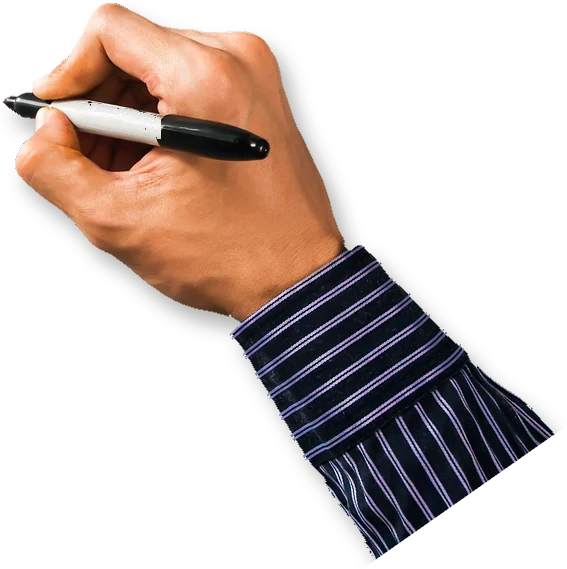
Chasca can show a hand drawing your video, the classic whiteboard animation look. A real hand follows the pen as every line, word and diagram goes on, and slips out of the frame when the narrator pauses. Pick a marker hand in a light, medium or dark skin tone, a pencil hand or a sketched hand, with every board style and on every plan.
On every plan, with every board style. Switching the hand on a finished video is free.
How it works
When you make a video, open Look and find Drawing hand. It starts on Auto: no hand, unless your request asks to see one.
A marker in a light, medium or dark skin tone, a pencil, or a sketched hand that suits the chalkboard.
Write “with a hand drawing it” or “in the Draw My Life style” in your request, and Auto picks the hand that suits your board.
On a finished video, switch the hand on, off or to another one. It’s a free new version, with the same narration and drawings.
What people use it for
Life stories, origin stories and “how we started” videos in the hand-drawn style people know from YouTube.
The classic whiteboard look for a product, a process or a pitch, without placing a single drawing yourself.
A hand writing out each step makes a lesson feel like a teacher working at the board.
Yes. When you make a video, set Drawing hand in the Look tab to one of five hands: a marker hand in a light, medium or dark skin tone, a pencil hand or a sketched hand. A real hand then follows the pen as every line and word is drawn. On Auto, the hand comes on by itself when your request asks to see one.
Five: Marker, light skin; Marker, medium skin; Marker, dark skin; Pencil; and Sketched hand, a drawn white hand that suits the chalkboard. On Auto, Chasca picks the hand that suits your board style, in the skin tone your request names.
Yes, for free. On a finished video, change Drawing hand to another hand or to Off. You get a new version at no cost, with the same narration, drawings and timing.
Yes. The drawing hand comes with every plan, Free included, at no extra cost, and works with every board style and format.
Yes. Ask for it in your request, for example “a hand drawing it, Draw My Life style”, and the hand comes on. Unlike whiteboard software such as VideoScribe, where you place every drawing yourself, Chasca makes the whole video: the script, the drawings, the narration and the hand. VideoScribe and Chasca, compared.
Partly, while it draws, as in any hand-drawn video. It moves with the pen, leaves the frame during longer pauses, and stays under the captions, your logo and your credit line.
Your first 2 videos are free, up to 1 minute each, watermarked. No card required. Full product, every voice and style included.