VideoScribe vs Chasca: draw it yourself, or let AI draw it
VideoScribe gives you a canvas to build each scene, now with AI help. Chasca makes the whole narrated whiteboard video from a prompt or document.
By the Chasca team 4 min read
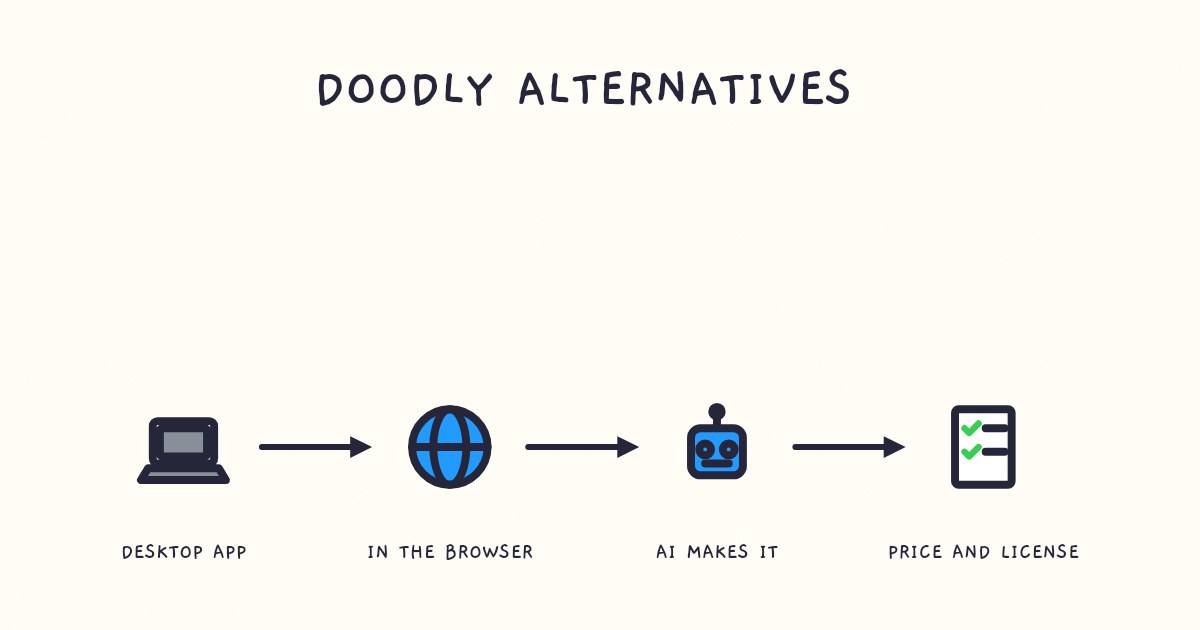
VideoScribe is for building a whiteboard video yourself: you place every image, line of text and timing on its canvas, and its AI tools can now draft the script, make images and read the voiceover. Chasca makes the whole video for you: a prompt, a document or a recording becomes a narrated whiteboard video, usually in under a minute for a one-minute video. Choose VideoScribe if you want control over every element. Choose Chasca if you need videos often, long, in many languages or in your own voice, and would rather not build them scene by scene.
We make Chasca, so read this with that in mind. Every claim about VideoScribe links to VideoScribe’s own pages, which we checked on 2 November 2026.
How do VideoScribe and Chasca compare?
| VideoScribe | Chasca | |
|---|---|---|
| How a video gets made | You build it on a canvas: images, text, timing and audio, scene by scene | You give it a prompt, a document or a recording; it writes the script, draws every scene and narrates it |
| AI | AI images, AI scripts and, on Core and Max, AI voiceovers; you put the parts together | The whole video: script, storyboard, drawing and narration, timed together |
| Control | Every element and every timing | One change at a time: subtitles, style, music or logo for free; a new voice or format makes a new video |
| Longest video | 5 minutes on Lite, 10 on Core, 20 on Max | 30 minutes on every paid plan, told in chapters past six minutes |
| Downloads | 5 a month on Lite, 30 on Core, unlimited on Max | No download limit: rendered minutes are the only meter |
| Voices | Your own recording, or AI voiceover on Core and Max in 45+ languages | 30 narrators who each speak all 79 languages, a custom voice of your own on every plan, or your recording |
| Price | $12.50, $21.25 or $26.67 a month, billed yearly (US) | $9.99 to $99.99 a month from Solo to Max, $499.99 for Team, billed monthly |
| Free to try | 7 days: 3 downloads, videos up to 5 minutes, watermarked | Two videos up to 1 minute each, watermarked |
VideoScribe’s figures come from its pricing page and AI tools page; Chasca’s from our pricing page.
What does VideoScribe do well?
- Hands-on control. You decide what’s drawn, where it sits, when it appears and how long it stays. If you enjoy the craft, nothing an AI tool does replaces that.
- AI help without giving up control. Monthly allowances of AI images and AI script minutes come with every plan, and Core and Max add AI voiceover minutes, so you can draft faster and still arrange every scene yourself.
- Your own voiceover, recorded in the app. You can record a voiceover inside VideoScribe or import one, then time each scene to it.
- Low yearly prices. Billed yearly, Lite is $150 and Max $320 a year in the US, which VideoScribe says saves up to 65% against paying monthly. Max adds a brand kit.
What does Chasca do differently?
- It makes the whole video. Type a prompt, upload a PDF, Word file or slide deck, paste an article link or attach a recording, and Chasca writes the script, storyboards every scene and draws it stroke by stroke in time with the narration.
- Longer videos, no download caps. Every paid plan makes videos up to 30 minutes, and a long document becomes one video told in chapters. You download as often as you like.
- Voices and languages on every plan. 30 narrators, each speaking all 79 languages in the same voice, plus a custom voice of your own from about a minute of reading (custom voices).
- Math, drawn as it’s taught. Equations are written in math notation line by line as the narrator explains them, graphs are plotted from their functions, and Arabic equations run right to left (Arabic math lessons).
- Every shape of video. Landscape for YouTube, vertical for Reels and TikTok, square for LinkedIn.
What you give up: you can’t place a drawing by hand. You change a finished Chasca video one thing at a time, and a different script means a new video.
Which should you choose?
| If you… | Choose |
|---|---|
| Enjoy building every scene and want full control of the art | VideoScribe |
| Make one flagship video a quarter and have time to craft it | VideoScribe |
| Need videos every week, or the same video in several languages | Chasca |
| Want to turn documents you already have into videos | Chasca |
| Need videos longer than 20 minutes, or many downloads on a small plan | Chasca |
| Teach math and need equations written properly, or teach in Arabic | Chasca |
Sources
- VideoScribe. Pricing. Accessed 2 November 2026.
- VideoScribe. AI generation. Accessed 2 November 2026.
- VideoScribe Help. AI FAQs. Accessed 2 November 2026.
- VideoScribe Help. Recording a voiceover. Accessed 2 November 2026.
- Chasca. Pricing and features.
Video transcript What the narrator says in the 0:56 explainer above.
Want to place every drawing yourself, or hand over the job? Picture a poster: you arrange every piece, or give someone your words and get a finished poster. Choose VideoScribe for control; choose Chasca for a finished narrated video. We make Chasca.
VideoScribe lets you set images, text and timing on a canvas, scene by scene. Its AI tools help with images and scripts; Core and Max add AI voiceovers. You can record your own voiceover. Lite allows 5-minute videos and 5 downloads a month.
Chasca makes a video from a prompt, document or recording. Paid plans allow 30-minute videos, with no download limit. You can't place drawings by hand; a different script means a new video. How do these tools make videos differently? VideoScribe lets you build; Chasca builds from your input.
Questions people ask
Yes. VideoScribe's plans include AI images and AI script writing, and its Core and Max plans add AI voiceovers in more than 45 languages. You still place the images, text and timing on the canvas yourself: it doesn't make a finished video from a prompt.
Yes. AI whiteboard video generators such as Chasca write the script, draw every scene and narrate it from a prompt or a document. Chasca's first two videos are free, up to a minute each, with a watermark.
On 2 November 2026, VideoScribe's US prices billed yearly were $150 a year for Lite, $255 for Core and $320 for Max; monthly prices vary by region. Lite allows 5 downloads a month and videos up to 5 minutes, and Max allows unlimited downloads and videos up to 20 minutes.
In both. In VideoScribe you record or import a voiceover and time your scenes to it. In Chasca you attach a recording and tick Use as the narration, and the board draws in time with your words; or you make a custom voice from about a minute of reading, and it narrates any video.