The best AI tools for math explainer videos in 2026
Eight AI tools for math videos compared: how each writes equations step by step, graphs and geometry, photo and PDF input, languages, length and price.
By the Chasca team 9 min read
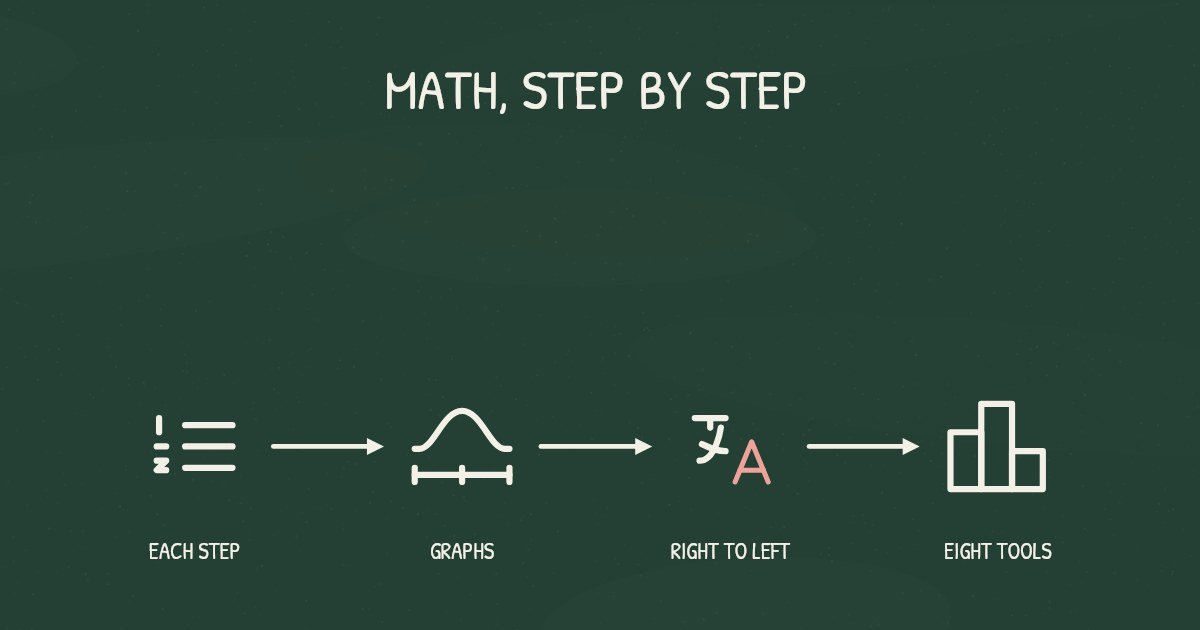
The best AI tool for a math explainer video depends on who will watch it and what you start from. For a lesson to publish, with equations written line by line as the narrator explains them, graphs, exact geometry and Arabic math written right to left, we’d pick Chasca, which we make. Kinoslide suits derivations that rearrange as they go, Scholarly long lectures, and Golpo writing the LaTeX yourself. Vismo turns a sentence into a Manim animation, and Mathix and Scibble explain one homework problem from a photo.
How did we choose and check these tools?
- What’s included: AI tools that make a math video for you from a prompt, a document or a photo of a problem: lesson makers, math animation makers and math tutors that answer with a video.
- How we checked: we read each tool’s own pages on 4 November 2026. Where a page doesn’t say something, we say so, and where a tool’s pages disagree, we say that too. ManimLabs’ site was offline that day, so we used copies of its pages saved in October. Prices and limits change, so check again before you buy.
- Our bias: we make Chasca. We say plainly where another tool is the better choice, and every claim about another tool links to its own pages.
- Not included: AI video makers whose pages don’t mention math, avatar tools, and math apps that answer only in text.
The eight tools at a glance
| Tool | How it shows the math | Photo or PDF in | Narration languages | Longest video | Paid plans from |
|---|---|---|---|---|---|
| Chasca | Equations line by line as they’re explained, graphs from their functions, exact geometry | Both | 79 | 30 minutes (1 on Free) | $9.99 a month (30 minutes) |
| Kinoslide | LaTeX formulas in a handwritten style, rearranging as a derivation moves | 11 | 5 to 15 minutes by plan | $30 a month, or $24 billed yearly | |
| Scholarly | A Manim math mode, typeset equations, graphs | Both | 70+ | 45 minutes | $30 a month, or $15 billed yearly |
| Golpo | Equations you write in Markdown or LaTeX | A document | 46 | 2 to 10 minutes by plan | $39.99 a month (20 minutes, black and white) |
| Vismo | Manim animations from your brief | Not mentioned | 29 or 9 (pages differ) | Not published | $9.99 a month |
| Mathix | A narrated, step-by-step solution to one problem | Photo | “Multiple” | Not published | Not published |
| Scibble | A short step-by-step video explanation | Photo | Not published | Not published | $9.99 a month, or $60 a year |
| ManimLabs | Editable 2D and 3D scenes with typeset formulas | Not published | Not published | Not published | $9.90 a month (site offline) |
Chasca: best for math lessons to publish, and Arabic math
Chasca turns a prompt, your own script, a PDF, Word file or slide deck, or a photo of a worksheet into a narrated whiteboard video, drawn stroke by stroke in time with the narration.
- How it shows the math: equations in math notation, written line by line as the narrator explains each step; graphs plotted from their functions; geometry computed exactly, so bisectors, midpoints and perpendiculars land where they really fall; tables and trees drawn part by part as they’re spoken (diagrams). Quiz videos keep every answer choice on the board and circle the right one (how to make a quiz video).
- In Arabic: equations in Arabic-Indic digits (٠ to ٩) are written right to left, as they’re taught across the Gulf, the Levant and Egypt (Arabic math lessons).
- Also: 79 languages, each spoken by all 30 narrators; your own voice on every plan (custom voices); 16:9, 9:16 or 1:1; up to 30 minutes on paid plans.
- Watch out for: the board is flat, with no 3D; you can’t place drawings by hand; and a finished video changes one thing at a time. Check every line of working before you share it.
- Price: two free videos of up to a minute each, watermarked, no card; then $9.99 a month for 30 minutes, up to $499.99 for 2,000, billed monthly (pricing).
Kinoslide: best for derivations that rewrite themselves
Kinoslide turns course material into video lessons in five looks. In Dry Erase, a marker board (or chalk, in Blackboard), formulas are set from LaTeX, drawn in a handwritten style and rearranged as a derivation moves, and worked examples go line by line.
- Good for: course providers, tutors and exam prep, starting from a PDF, notes, a prompt or, in Dry Erase, your own script. Credits roll over, and Pro adds storyboard review and scene edits.
- Watch out for: narration covers 11 languages, and its pages disagree on which plans get them. PowerPoint has to be exported to PDF first, and photo input isn’t mentioned.
- Free and price: 4 credits at sign-up for watermarked videos of up to a minute, no card. Basic is $30 a month ($24 billed yearly) for 50 minutes, Pro $100 ($80) for 100 and Scale $600 ($480) for 500.
Sources: pricing, Dry Erase, math lesson videos, features, multilingual lessons and PowerPoint to video.
Scholarly: best for long lectures, with a Manim math mode
Scholarly is a study platform whose Video Lectures come with chapters, captions, question checkpoints and AI chat. One of its modes is Manim Math Animation, and its lectures can show equations in real math typography, graphs, tables and code.
- Good for: lectures of up to 45 minutes from a PDF, a Word or PowerPoint file, images of notes, pasted text, a YouTube link or a topic, narrated in 70+ languages.
- Watch out for: AI narrators only, not your own voice, and no timeline editor, so a change means a new version. The free lecture can’t be downloaded.
- Free and price: one lifetime credit, a lecture of about 2 minutes at 720p with Scholarly branding, no card. Premium is $30 a month or $15 billed yearly for 15 credits a week, and Laureate $99 a month for 80; lectures over 15 and 30 minutes cost one and two extra credits.
Sources: Video Lectures and pricing.
Golpo: best for writing the LaTeX yourself
Golpo turns a prompt or a document into a narrated whiteboard video, and its equation guide shows how to write equations in Markdown and LaTeX, so the notation comes from your script, not its visual generator.
- Good for: exact notation you write yourself, and editing a finished video frame by frame with prompts (one edit free, then charged).
- Watch out for: the same guide warns that a finished render can still contain “a missing minus sign”, and says it doesn’t solve the problem or check the proof. Videos run 2 to 10 minutes by plan, in 46 languages, and the free video is watermarked and can’t be downloaded.
- Price: Starter $39.99 a month for 20 minutes in black and white, up to Scale at $999.99 for 800, or pay as you go at $7.99 down to $3.99 a minute. More in Golpo vs Chasca.
Sources: equation guide, pricing, multilingual videos and video editing guide.
Vismo: best for Manim animations from a sentence
Vismo writes Manim scenes from your brief, renders them and adds narration if you want it, as an MP4 in 16:9, 9:16 or square. ManimLabs and Scholarly’s math mode use Manim too.
- Good for: animated math rather than a drawn board, from one sentence or your own Manim scene file, with an estimate shown before each job. Its library includes worked examples, such as solving a linear inequality.
- Watch out for: step-by-step working isn’t promised, photos and PDFs aren’t mentioned, and one page gives 29 narration languages, another 9. The longest video isn’t published.
- Free and price: one free animation per account, no card (its guide says enough credits for several). Plus is from $9.99 a month for 600 credits and Creator $29.99 for 2,200, each with a seven-day trial.
Sources: home, pricing, for teachers and math animation guide.
Mathix: best for one problem, explained from a photo
Mathix is an AI math solver and tutor. Ask it for a video explanation and it makes a narrated, step-by-step lesson for your problem, with animations.
- Good for: students who want one problem explained: type it, or take a photo of a handwritten or printed question. Its Animation Studio makes animations from a text prompt, downloaded as generated HTML.
- Watch out for: how its videos are drawn isn’t published, PDFs aren’t mentioned, and its languages are “multiple”, none named. Its API returns text solutions, not video.
- Free and price: free daily credits. Unlimited use, video included, needs premium, whose price isn’t published.
Sources: home, video, Animation Studio and API.
Scibble: best for a student’s calculus question
Scibble is an AI math tutor that explains a typed or photographed problem step by step and can turn the explanation into a short video.
- Good for: students of calculus, algebra, linear algebra, differential equations and statistics. It reads JPEG or PNG photos of handwritten work or textbook pages.
- Watch out for: the video style, narration, languages and longest length aren’t published, and PDFs aren’t mentioned. Its homepage samples run 1:37 to 2:08, and the one we played showed typeset equations on a black background.
- Free and price: 5 free explanations, with limited videos, no card. Pro, with unlimited videos, is $9.99 a month or $60 a year.
Sources: home, explanation videos and how it works.
ManimLabs: a math scene editor, offline when we checked
On 4 November 2026, every page of manimlabs.com returned an error saying its deployment was disabled. Copies of its pages saved in October describe a browser editor for 2D and 3D math scenes on a timeline, rendered with Manim: its AI drafts a scene for you to edit, not a finished video, and formulas are typeset.
- Plans in those copies: Free (3 AI scenes a day, watermarked), Creator $9.90 a month, Pro $19 and Team $49. Narration, languages and photo or PDF input weren’t published.
- Best for: building each math scene yourself, 3D included, once it’s back.
Sources: home and pricing, as saved in October 2026.
How do you make an Arabic math explainer video from a PDF?
With Chasca:
- Upload the PDF and say what to explain, such as one exercise. For a quiz, paste the question with its choices and say how to mark the right one.
- Pick Arabic as the video’s language, or let Chasca read it from your request, and choose a narrator or your own Arabic voice.
- Watch it draw. The board lays out from the right, and equations in Arabic-Indic digits are written right to left, line by line, as the narrator explains them. Chasca follows the digits you write, so Western digits (0 to 9) stay left to right.
- Check every line before you share it.
More in how to turn a PDF into a video. On the other seven tools’ pages, we found nothing about writing Arabic equations right to left.
Which one should you pick?
- A lesson for a class or a channel: Chasca for Arabic math, quizzes, exact geometry and graphs, or your own voice; Kinoslide for derivations that rearrange as they go; Scholarly for lectures longer than 30 minutes.
- Notation you write yourself: Golpo.
- Animated math rather than a drawn board: Vismo, or ManimLabs once it’s back online.
- One homework problem, for a student: Mathix or Scibble, from a photo.
- Before you pay: try the same real problem in two tools’ free tiers, and check every sign, digit and label.
Questions people ask
Chasca writes equations in math notation line by line as the narrator explains them, plots graphs from their functions and draws exact geometry, from a prompt, a PDF or a photo of a worksheet. Kinoslide sets formulas from LaTeX, draws them in a handwritten style and rearranges them as a derivation moves, and Scholarly has a Manim math mode for lectures of up to 45 minutes.
In Chasca, upload the PDF, set the video's language to Arabic and pick a narrator or your own Arabic voice. Equations in Arabic-Indic digits are written right to left, the board lays out from the right, and quiz questions keep every answer choice and circle the right one.
Yes. Mathix and Scibble turn a photo of a handwritten or printed problem into a step-by-step explanation with a video, for students. Chasca reads a photo of a worksheet in full and turns it into a narrated whiteboard lesson, and Scholarly accepts images of notes.
Not always, so check every sign, digit and label before you share one. Golpo's own equation guide warns that a finished render can still miss a minus sign. Chasca computes its geometry and plots graphs from their functions, but its videos deserve the same check.