The best Doodly alternatives in 2026, by hand or with AI
Build scenes by hand with VideoScribe, Explaindio, Animaker, Powtoon or Renderforest, or let Chasca, Golpo or StrokeVideo make the whole video with AI.
By the Chasca team 9 min read
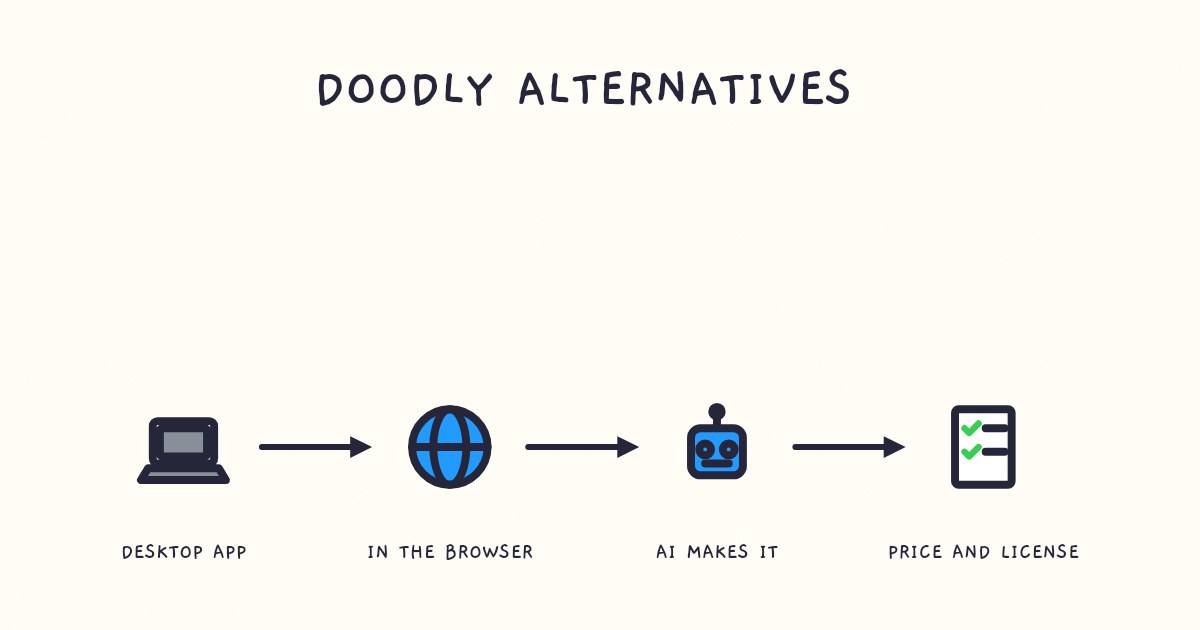
The best Doodly alternative depends on what you want to change: building every scene by hand, the price, or both. To stop building scenes, we’d pick Chasca, which we make: it turns a prompt or a document into a finished narrated whiteboard video, even narrated with your own recording, up to 30 minutes long. Golpo and StrokeVideo also make the whole video with AI. To keep building by hand, VideoScribe costs $150 to $320 a year in the US and Explaindio can be bought once; Animaker, Powtoon and Renderforest work in a browser, and Vyond is the one for animated characters.
How did we choose and check these tools?
- What’s included: whiteboard video tools with published prices, from AI generators that make the whole video to software where you build each scene.
- How we checked: we read each tool’s own pages between 2 and 4 November 2026; each section lists them with the date. Where a page is silent, or a vendor’s pages disagree, we tell you. Check prices again before you buy.
- Our bias: we make Chasca, so we say where another tool is the better choice and link every claim about another tool to its own pages.
- Not included: avatar tools, general video editors, and tools we haven’t checked yet.
What is Doodly good at, and when should you keep it?
Doodly is a desktop app for Windows and Mac, “installed directly on your computer” and needing an internet connection, where you drag drawings, characters and text onto each scene and set the timing. Keep it if:
- You like building every scene yourself. Its pages mention no AI features.
- You use the bundle: Toonly, Talkia, People Builder, Pyks and Voomly come with both plans.
- You record your own voiceovers: you can record one in the app or import an MP3.
- You want no published caps: its pricing page promises “Create Unlimited Videos”.
Standard costs $49 a month or $490 a year, and Enterprise $79 or $790, with a 14-day free trial and a 30-day money-back guarantee. Its pricing page shows no one-time license. More in Doodly vs Chasca.
Sources: Doodly’s pricing and home pages and voiceover guide, checked 2 November 2026.
Doodly and nine alternatives at a glance
| Tool | Who builds the scenes | Ways to pay | Paid plans from | Free to try |
|---|---|---|---|---|
| Doodly | You, in a desktop app | Monthly or yearly | $49 a month, or $490 a year | 14-day trial |
| Chasca | AI | Monthly | $9.99 a month (30 minutes) | 2 videos up to 1 minute |
| Golpo | AI | Monthly, yearly or per minute | $39.99 a month (20 minutes) | 1 one-minute video, no download |
| StrokeVideo | AI | Monthly, quarterly or yearly | $19.9 a month (40 minutes), by region | 1 video a day, up to 2 minutes |
| VideoScribe | You, with AI help | Monthly or yearly | $150 a year (US) | 7-day trial, watermarked |
| Explaindio | You, in a desktop app | Monthly, yearly or once | $37 a month, $67 a year or $497 once | None |
| Animaker | You, from a template or AI draft | Monthly or yearly | $25 a month, billed yearly | Free plan, watermarked |
| Powtoon | You, or from an AI draft | Monthly or yearly | $15 a month, billed yearly | Up to 3 minutes, watermarked |
| Renderforest | You, from ready-made scenes | Monthly or yearly | $15 a month, or $108 a year | 20 credits, 480p, watermarked |
| Vyond | You, or a Vyond Go draft | Monthly or yearly | $58 a month, billed yearly | Trial, watermarked |
Let AI make the whole video
These three make a finished, narrated video from a prompt or a document.
Chasca: best for a finished video from your own material
Chasca makes the whole whiteboard video in a web browser, from a prompt, your own script, a PDF, Word file or slide deck, an article link or a recording. It writes the script or speaks yours word for word, and draws each scene stroke by stroke as the narrator speaks, usually in under a minute for a one-minute video.
- Good for: keeping your own voiceover without timing a scene: attach it, tick Use as the narration, and the board draws in time with your words (your voiceover). Or use a custom voice of your own on every plan (custom voices), or 30 narrators in 79 languages. A drawing hand, exact diagrams, equations written line by line and, on paid plans, videos up to 30 minutes come with it.
- Watch out for: you can’t drag a drawing into place or retime a scene, and a finished video changes one thing at a time (subtitles, style, music or logo for free; a new voice or format makes a new video). Billing is monthly, with no characters, avatars or footage.
- Price: two free videos up to 1 minute each, watermarked, with no card; then from $9.99 a month for 30 minutes (Solo), with branding from Pro at $49.99 (pricing).
Golpo: best for editing an AI video frame by frame
Golpo turns a prompt or a document into a narrated whiteboard video, and lets you re-prompt any frame: the first edit is free, later ones are charged.
- Good for: skipping the subscription. Pay-as-you-go minutes cost $7.99 down to $3.99 each, with color, logo and voice cloning included.
- Watch out for: 2-minute videos on Starter and Creator and up to 10 on higher plans (longer as $200 add-ons), black and white until Growth ($199.99), voice cloning from Business ($499.99), and a free video you can’t download.
- Price: from $39.99 a month for 20 minutes. More in Golpo vs Chasca.
Sources: Golpo’s pricing and editing guide, checked 2 November 2026.
StrokeVideo: best for a free AI video every day
StrokeVideo makes whiteboard videos from a topic or a script, generating each board as one illustration in one of 23 styles and tracing it stroke by stroke.
- Good for: a free video every day, up to 2 minutes, with no watermark (a 2-second card closes it); paid videos up to 15 minutes; your own recording as the narration; and minutes that stay on your account after you cancel.
- Watch out for: 15 narration languages, and no voice cloning on its pages.
- Price: set by region; in India, $19.9 a month for 40 minutes or $99.9 a year for 500.
Sources: StrokeVideo’s pricing and home pages, checked 2 and 3 November 2026.
Keep building the scenes yourself
Like Doodly, these give you an editor for every scene; some add AI for a first draft.
VideoScribe: best for building by hand, for less
VideoScribe is whiteboard animation software where you build each scene on a canvas, with AI tools for images, scripts and, on Core and Max, voiceovers.
- Good for: Doodly’s kind of control for less. Billed yearly in the US, Lite costs $150 a year, Core $255 and Max $320. You can record a voiceover in the app.
- Watch out for: caps on downloads and length: 5 a month and 5 minutes on Lite, 30 downloads and 10 minutes on Core, unlimited downloads and 20 minutes on Max. The 7-day trial is watermarked. More in VideoScribe vs Chasca.
Sources: VideoScribe’s pricing, AI generation and voiceover help pages, checked 2 November 2026.
Explaindio: best for a desktop app you can buy once
Explaindio is drag-and-drop desktop software for PC or Mac, with 600 pre-done scenes, 500 doodle sketch images and 6 characters, for black-and-white or color doodle videos, 2D, 3D and full-motion video.
- Good for: a one-time license. Its sales page sells the Business Edition through JVZoo for $497 once, $37 a month or $67 a year, with a 30-day money-back guarantee.
- Watch out for: no free plan, no AI features mentioned, and no published length or narration options, only background audio tracks. Its licensing contradicts itself: client work or reselling “will need an enterprise license, which will be an added expense”, yet “You can sell the videos.”
Sources: Explaindio’s sales page, checked 4 November 2026.
Animaker: best for templates and characters in a browser
Animaker runs on the web, iOS and Android. Its whiteboard maker starts from 100+ templates or a prompt: the AI asks you questions, then generates “scenes, characters, voiceover, lip sync, and transitions” for you to edit.
- Good for: a doodle style with a character builder, videos up to 15, 30 or 45 minutes by plan, and your own voiceover.
- Watch out for: commercial rights start on Pro ($79 a month, or $43 billed yearly), downloads are capped at 10, 30 and 50 a month, and its FAQ still names an unlisted $15 Basic plan.
- Price: free with 3 watermarked downloads a month; Starter $45 a month or $25 billed yearly.
Sources: Animaker’s whiteboard, pricing, home and features pages, checked 4 November 2026.
Powtoon: best for an editable draft from your documents
Powtoon is an online studio whose “AI Anything-to-Video” turns a PDF, Word file or slide deck into a script and a draft video that you edit. Its whiteboard tools “simulate the whiteboard drawing effect automatically”.
- Good for: commercial use on every paid plan, videos up to 10, 20 or 30 minutes by plan, and your own voiceover, recorded in the studio or uploaded.
- Watch out for: a free plan capped at 3 minutes in 720p, watermarked, with no AI credits, commercial use or MP4 download, and only 5 watermark-free exports a month on Lite.
- Price: billed yearly, Lite $15 a month, Professional $40 and Advanced $125; monthly, $49, $99 and $199.
Sources: Powtoon’s pricing, whiteboard, doc to video and voiceover help pages, checked 4 November 2026.
Renderforest: best for ready-made whiteboard scenes
Renderforest’s whiteboard maker is build-it-yourself: you “select ready made scenes and build your story” from 1,000+ doodle scenes, then add your own artwork, voiceover and logo. A separate AI script-to-video makes videos up to 12 minutes, but its pages don’t say whether it has a whiteboard style.
- Good for: on paid plans, no length limit on template videos, a commercial license and voice cloning; and an API.
- Watch out for: a free tier of 20 credits for a short watermarked 480p test, and only 60 watermark-free exports on yearly Lite.
- Price: Lite $15 a month or $108 a year, Pro $39 or $228, and Business $59 or $468.
Sources: Renderforest’s whiteboard, pricing, text to video, home and developer pages, checked 4 November 2026.
Vyond: best for character animation
Vyond is a character animation studio for workplace training: characters act out scenarios with lip sync, whiteboard animation is one of its styles, and Vyond Go drafts a video from a prompt, a document or a web page for you to edit. It costs more than Doodly, from $99 a month or $58 billed yearly, and voice cloning needs Enterprise or Agency. More in Vyond vs Chasca.
Sources: Vyond’s pricing, FAQ and Vyond Go pages, checked 2 and 3 November 2026.
Which one should you pick?
| If you… | Choose |
|---|---|
| Want a finished video from a document, in your own voice or with math | Chasca |
| Want to re-prompt single frames, or pay per minute with no plan | Golpo |
| Want a free AI video every day | StrokeVideo |
| Want to keep building every scene, for less than Doodly | VideoScribe |
| Want a desktop app you pay for once | Explaindio |
| Want templates and characters in a browser, with an AI draft | Animaker |
| Want an editable draft from your documents | Powtoon |
| Want ready-made whiteboard scenes to assemble | Renderforest |
| Need characters acting out workplace scenarios | Vyond |
| Like Doodly’s bundle and building on your own computer | Doodly |
Questions people ask
To keep building scenes by hand, VideoScribe (from $150 a year in the US) or Explaindio (a desktop app you can buy once); to build in a browser from templates or an AI draft, Animaker, Powtoon or Renderforest; for animated characters, Vyond. To have AI make the whole narrated video from a prompt or a document, Chasca, Golpo or StrokeVideo.
Yes. On 4 November 2026, Explaindio's sales page offered a one-time license for $497 through JVZoo, besides $37 a month or $67 a year. Doodly's own pricing page shows only monthly and yearly plans, from $49 a month or $490 a year, and the other tools here are subscriptions, though Golpo also sells minutes pay as you go.
Billed yearly, Explaindio costs $67 a year, Renderforest Lite $108, VideoScribe Lite $150 in the US and Powtoon Lite $180, against $490 for Doodly Standard, most of them with limits on downloads or exports. If you'd rather have AI make the video, Chasca starts at $9.99 a month for 30 minutes.
Yes, two kinds. Chasca, Golpo and StrokeVideo make the whole narrated whiteboard video from a prompt or your text, while Animaker, Powtoon and Vyond draft a first version with AI that you then edit scene by scene. VideoScribe's AI makes images, scripts and, on Core and Max, voiceovers for scenes you still build yourself.