Vyond vs Chasca: character animation or an AI whiteboard video
Vyond is an animation studio with characters for workplace videos. Chasca makes a narrated whiteboard video from a prompt or a document in about a minute.
By the Chasca team 5 min read
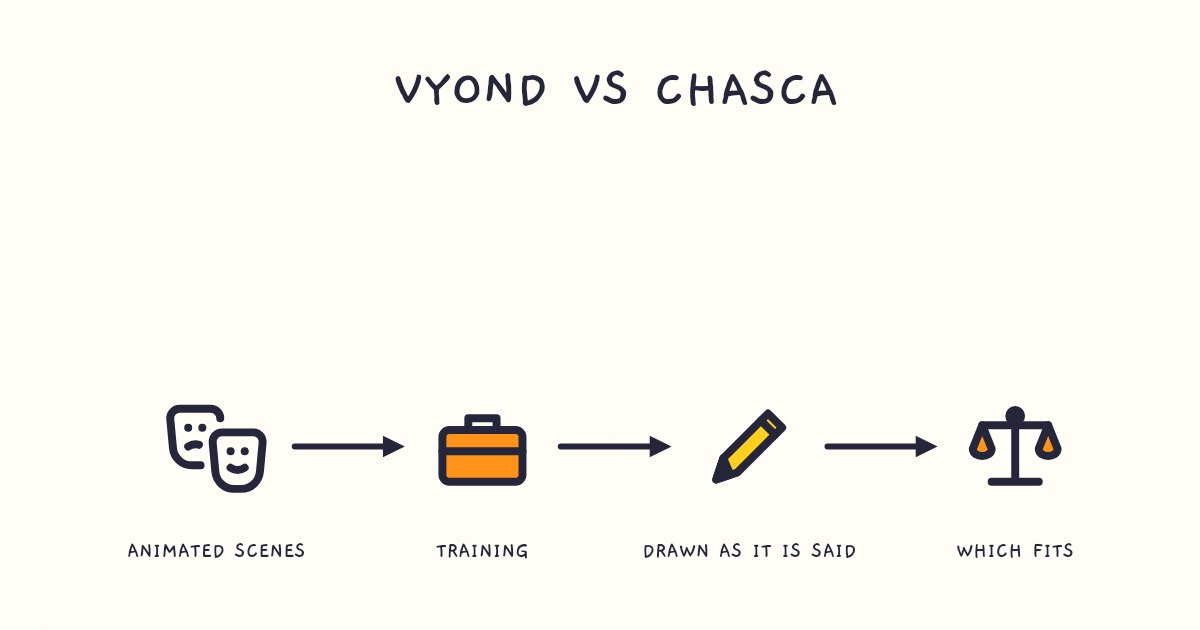
Vyond is an animation studio for workplace videos: characters act out scenarios, lip-synced to the voiceover, and you can build or edit every scene in its editor. Chasca makes one kind of video, a narrated whiteboard explainer, from a prompt, a document or a recording, drawn stroke by stroke as the narrator speaks. Choose Vyond for character-driven training, avatars and enterprise features such as SCORM export and single sign-on. Choose Chasca for explainers and lessons with exact diagrams, narration in your own voice on every plan, and a finished video in about a minute.
We make Chasca, so weigh this accordingly. Every claim about Vyond links to Vyond’s own pages, which we checked on 3 November 2026. Prices and limits change, so check them again before you buy.
How do Vyond and Chasca compare?
| Vyond | Chasca | |
|---|---|---|
| What it makes | Animated videos with characters, props and avatars, in styles that include whiteboard animation | Narrated whiteboard videos: drawings, words and diagrams drawn as the narrator speaks |
| How a video gets made | Build it scene by scene in Vyond Studio, or start from a draft Vyond Go makes from a prompt, a document, a script or a web page | Give it a prompt, a document, a link or a recording; it writes the script, draws every scene and narrates it |
| Characters and lip sync | Characters lip-sync to the voiceover; 1,300+ AI avatars | None: no characters, avatars or lip sync |
| Longest video | 25 minutes on Starter, 40 on Professional, 90 on Enterprise and Agency | 30 minutes on every paid plan, told in chapters past six minutes |
| Languages | Text-to-speech voices in 95 languages; instant translation into 95 languages from Professional | 79, with 30 narrators who each speak all of them |
| Your own voice | Record a voiceover in the app; voice cloning on Enterprise and Agency | A custom voice on every plan, Free included, or your recording as the narration |
| Branding | Logos and a brand kit on Enterprise and Agency; font import from Professional | Logo, colors, font and a credit line, from Pro ($49.99) |
| Exports | MP4, WebM and GIF, plus SCORM on Enterprise and Agency; 100 downloads a month on Starter, 200 on Professional | 1080p MP4 in 16:9, 9:16 or 1:1, with SRT and VTT subtitles; no download limit |
| Price | Starter $99 a month or $699 a year; Professional $199 a month or $1,199 a year; Enterprise and Agency yearly only, from $1,649 per user | $9.99 to $99.99 a month from Solo to Max, $499.99 for Team, billed monthly |
| Free to try | A trial with 2,000 credits; exports carry a watermark, and Vyond Go videos can’t be downloaded | Two videos up to 1 minute each, watermarked, and you can download them |
Vyond’s figures come from its pricing page, FAQ and Vyond Go page; Chasca’s from our pricing page.
What does Vyond do well?
- Characters that act out a scenario. Vyond’s styles come with premade characters and props, a whiteboard animation style among them, and its characters lip-sync automatically to the voiceovers you upload. For role-plays, customer conversations and compliance scenarios, that’s something Chasca doesn’t do.
- Control over every scene. Vyond Studio is a drag-and-drop editor with hundreds of templates. You can build a video from scratch, or let Vyond Go draft one from a prompt, a document or a web page and then edit the draft.
- Features for large teams. Collaboration comes with Professional and up; SCORM export and a brand management suite with Enterprise and Agency; single sign-on with Enterprise.
- Long videos and translation. Videos run up to 90 minutes on Enterprise and Agency, and from Professional a finished video can be translated into 95 languages, its on-screen text and voices included.
- Sound and recording. A library of music and sound effects, voiceovers recorded in the app, and screen and webcam recording.
What does Chasca do differently?
- The whole video, from what you already have. Type a prompt, upload a PDF, Word file or slide deck, paste an article link or attach a recording, and Chasca writes the script, storyboards every scene and draws it stroke by stroke in time with the narration, usually in under a minute for a one-minute video. There’s no timeline to build.
- Drawn as it’s said. Each drawing, word and diagram appears at the moment the narrator names it, and a drawing hand can follow the pen (drawing hand).
- Exact diagrams and math. Tables, geometry constructions, trees, flowcharts and code are computed exactly and drawn part by part; equations are written in math notation line by line, and right to left in Arabic (diagrams).
- Your voice and your brand without an enterprise plan. A custom voice of your own on every plan, Free included (custom voices), your own recording as the narration (your voiceover), and your logo, colors, font and credit line from Pro (branding).
What you give up: Chasca has no characters, avatars or lip sync, no sound effects, and no timeline to edit by hand. You change a finished video one thing at a time: the subtitles, style, music or logo for free, while a new voice or format makes a new video. If your training needs people acting out a scene, Vyond is the better tool.
Which should you choose?
| If you… | Choose |
|---|---|
| Need characters acting out workplace scenarios, with lip sync | Vyond |
| Want to build or edit every scene yourself, with templates and a team | Vyond |
| Need SCORM export, single sign-on or videos longer than 30 minutes | Vyond |
| Want a finished explainer from a document or a prompt in about a minute | Chasca |
| Teach with exact diagrams or equations, or teach in Arabic | Chasca |
| Want your own voice and logo without an enterprise plan | Chasca |
Sources
Questions people ask
Yes. Vyond's FAQ lists Whiteboard Animation, hand-drawn sketch animations with premade characters and props, among its styles, and Vyond Go makes a draft video from a prompt, a document or a web page that you can edit scene by scene in Vyond Studio. Chasca makes only narrated whiteboard videos, drawn stroke by stroke as the narrator speaks, from a prompt, a document, a link or a recording.
On 3 November 2026, Vyond's Starter plan cost $99 a month, or $699 a year billed annually, and Professional $199 a month or $1,199 a year. Enterprise ($1,649 a year per user) and Agency ($1,999) are billed yearly only. Chasca's plans run from $9.99 to $499.99 a month, billed monthly.
Yes. You can record a voiceover inside Vyond, and its characters lip-sync to the voiceovers you upload. Voice cloning comes with the Enterprise and Agency plans. Chasca includes a custom voice on every plan, Free included, and can also use your own recording as the narration.
For explainers, lessons and training that a narrated whiteboard can carry, yes: Chasca makes the whole video from your document, with exact diagrams and your own voice. For character animation, no: Chasca can't make characters who act out a scene, speak or move, avatars or lip sync, so for role-plays and scenario-based training, Vyond is the better tool.