StrokeVideo vs Chasca: two AI whiteboard video makers compared
Both turn a topic or a script into a narrated whiteboard video. How they differ on diagrams, math, length, languages, voices and price (November 2026).
By the Chasca team 5 min read
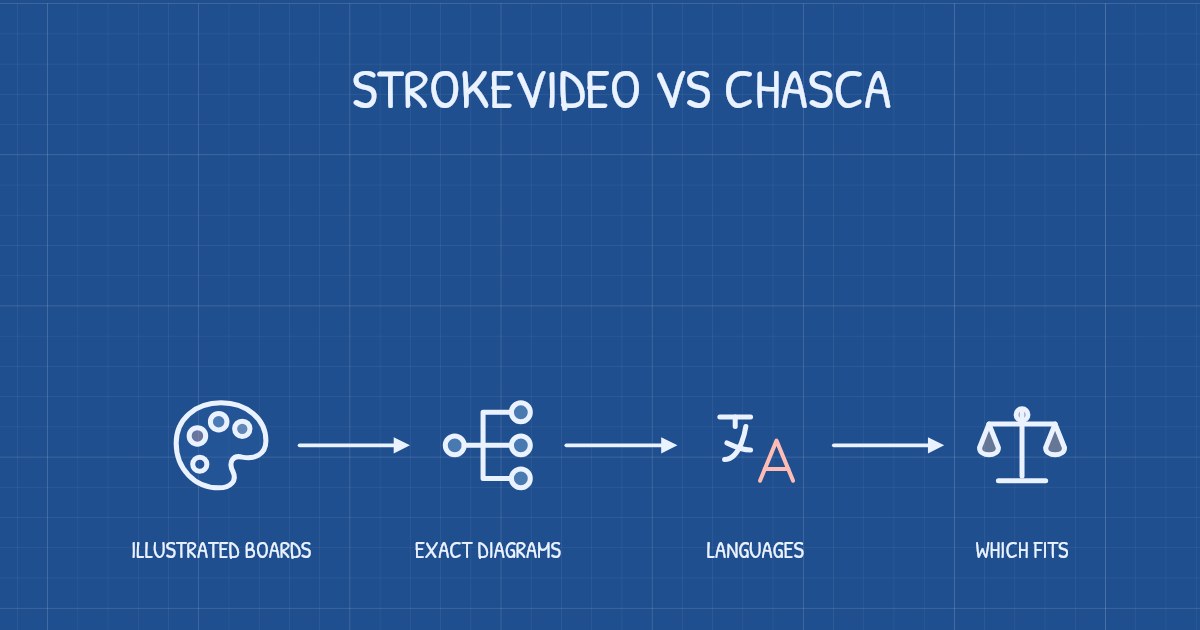
StrokeVideo and Chasca both turn a topic, a script or a document into a narrated whiteboard video that draws itself stroke by stroke, so the choice comes down to what your videos have to show. Pick Chasca for lessons with equations, tables or other exact diagrams, for videos longer than 15 minutes, for narration in your own voice, or for a language outside StrokeVideo’s 15. Pick StrokeVideo for a full illustration on every board in one of 23 styles, a free video every day, minutes that never expire, or its animated-video beta.
We make Chasca, so read this with that in mind. Every claim about StrokeVideo links to StrokeVideo’s own pages, which we checked on 3 November 2026. Prices and limits change, so check them again before you buy.
How do StrokeVideo and Chasca compare?
| StrokeVideo | Chasca | |
|---|---|---|
| The boards | Each board is generated as one complete illustration, then its ink is traced stroke by stroke | Drawings, words and diagrams, drawn stroke by stroke as the narrator names them |
| Equations and diagrams | Its education page advises keeping formulas short | Equations in math notation, line by line; tables, geometry, trees, flowcharts and code computed exactly |
| Drawing styles | 23, and a drawing hand if you want one | Six, and a choice of five drawing hands |
| Longest video | About 15 minutes for members, 2 minutes free | 30 minutes on every paid plan, told in chapters past six minutes; 1 minute free |
| Narration languages | 15 | 79 |
| Your own voice | Your recording, used exactly as recorded; voice cloning isn’t mentioned | A custom voice on every plan, Free included, or your recording |
| Formats | 3:2, 16:9 and 9:16 | 16:9, 9:16 and 1:1 |
| Your logo | A logo at the start of each video, on paid plans | Logo, colors, font and a credit line on every scene, from Pro ($49.99) |
| Paid plans | $19.9 a month for 40 minutes, $39.9 a quarter for 120 or $99.9 a year for 500, priced for your region; minutes never expire | $9.99 to $499.99 a month, billed monthly; minutes reset each month |
| Free to try | One video a day, up to 2 minutes, with no watermark and a 2-second StrokeVideo card at the end | Two videos up to 1 minute each, watermarked |
StrokeVideo’s figures come from its pricing page, home page, education page and video maker; Chasca’s from our pricing page.
Where is Chasca the better choice?
- Exact diagrams and math. Chasca computes tables, geometry constructions, family and decision trees, flowcharts and code, and draws them part by part as they’re spoken, so a bisector really bisects and a table’s columns line up (diagrams). Equations are written in math notation, one line at a time, and graphs are plotted from their functions; in Arabic, equations in Arabic-Indic digits run right to left (Arabic math lessons). StrokeVideo draws each board as one generated picture, and its education page advises: “Keep formulas short — long equations are better spoken than drawn.” With any AI tool, Chasca included, check the math before you publish.
- Longer lessons. Every paid Chasca plan makes videos of up to 30 minutes, and past six minutes the video is told in chapters, with a short recap after each. StrokeVideo’s videos run up to about 15 minutes.
- More languages. Chasca narrates in 79 languages, and each of its 30 narrators speaks all of them in the same voice. StrokeVideo lists 15 narration languages.
- Your own voice, without recording every video. Read for about a minute, and Chasca narrates any video in a voice that sounds like you, on every plan (custom voices). Both tools can also narrate with a recording you made; StrokeVideo’s pages don’t mention voice cloning.
- Your brand on every scene, and square videos. From Pro, Chasca puts your logo, colors, font and a credit line on every scene (branding); StrokeVideo’s paid plans add your logo at the start of a video. Chasca also makes square videos for feeds, alongside 16:9 and 9:16.
Where is StrokeVideo the better choice?
- A free video every day. Every StrokeVideo account can make one video a day of up to 2 minutes and download it as an MP4 with no watermark; a 2-second StrokeVideo card closes it. Chasca’s free plan is two videos of up to a minute each, watermarked.
- A full illustration on every board. Each board is generated as one picture for the lines spoken over it, in 23 styles, from a photo-real whiteboard to Sharpie, chalkboard and crayon. That suits stories, history and picture-led explainers.
- Minutes that never expire. StrokeVideo’s minutes stack up and stay on your account after you cancel, and its quarterly and yearly plans cost less per minute. Chasca bills monthly, and unused minutes don’t carry over.
- Characters and silent videos. StrokeVideo also makes AI animated videos, a members’ beta of up to 6 minutes in which characters move and the camera follows, and it can make a video with no AI voice. Chasca makes narrated whiteboard videos only: no characters who act out a scene, and no silent videos.
Which should you choose?
| If you… | Choose |
|---|---|
| Teach math, science or computing and need exact equations, tables or diagrams | Chasca |
| Teach in Arabic, or need a language that isn’t among StrokeVideo’s 15 | Chasca |
| Make lessons longer than 15 minutes | Chasca |
| Want every video in your own voice without recording each one | Chasca |
| Want a free video every day to try ideas | StrokeVideo |
| Tell stories or history with a full picture on every board | StrokeVideo |
| Want animated characters, or minutes that never expire | StrokeVideo |
How can you test both fairly?
- Write one prompt you’d really use, with a number, a name and, if you teach, an equation or a table.
- Make it with each tool’s free video, at 1 minute, so both can make all of it.
- Check every symbol, label and number on screen, the pronunciation in your language, and whether each drawing appears as its idea is named.
- Make one change you’d really need, like a corrected line or a new style, and see what it costs.
Sources
- StrokeVideo. Pricing. Accessed 3 November 2026.
- StrokeVideo. Home page. Accessed 3 November 2026.
- StrokeVideo. Whiteboard videos for education. Accessed 3 November 2026.
- StrokeVideo. Create a whiteboard video. Accessed 3 November 2026.
- StrokeVideo. AI animated video maker. Accessed 3 November 2026.
- Chasca. Pricing and features.
Questions people ask
Both turn a topic or a script into a narrated whiteboard video, drawn stroke by stroke. StrokeVideo draws each board as one generated illustration, in 23 styles, narrates in 15 languages and makes videos of up to about 15 minutes. Chasca draws exact diagrams and equations, narrates in 79 languages, makes videos of up to 30 minutes on every paid plan and includes a custom voice of your own on every plan.
Partly. On 3 November 2026, every StrokeVideo account could make one free video a day, up to 2 minutes, with no watermark but a 2-second StrokeVideo card at the end. Its paid plans were $19.9 a month for 40 minutes, $39.9 a quarter for 120 or $99.9 a year for 500, priced for your region. Chasca's first two videos are free, up to a minute each, with a watermark.
For lessons where the equations and figures have to be exact, Chasca. It writes equations in math notation line by line, plots graphs from their functions and computes geometry, tables and flowcharts, and in Arabic it writes equations right to left. StrokeVideo's own education page advises keeping formulas short, because long equations are better spoken than drawn. Whichever you use, check the math before you publish.
Both can use your own recording as the narration: StrokeVideo takes MP3, M4A or WAV files, up to 30 seconds on a free account, and Chasca takes recordings of up to 1 minute on Free and 30 minutes on paid plans. Chasca can also make a custom voice from about a minute of reading, on every plan. StrokeVideo's pages don't mention voice cloning.